Day-to-day monitoring: dashboard, expenses and annual report
Updated: 06 Oct 2026 Views: 1 085 Likes: 100
The rental dashboard
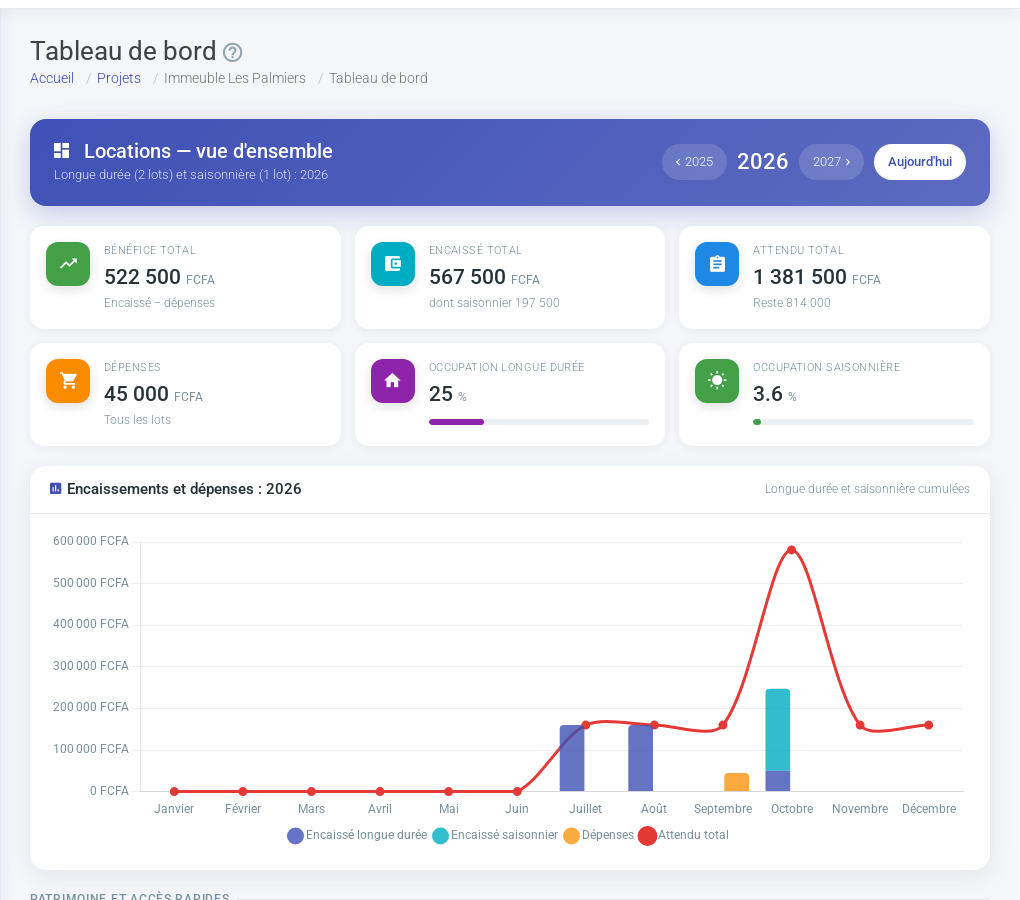
Rentals > Dashboard starts with an overview of the year combining long-term and seasonal rentals (total profit, amounts received and expected, expenses, occupancy of each type, monthly chart). The year selector is in this header. Then come the shared blocks (buildings, links to tenants and payments) and one area per rental type.The overview: long-term and seasonal combined.
Long-term and seasonal areas
Each rental type has its own coloured area with a See contracts link. The seasonal area shows received and booked amounts, overdue stays, booked nights, occupancy, average nightly price, profit, a monthly chart, upcoming stays and stays to collect. See Seasonal rentals.
Record expenses
Rentals > Expenses lists what you pay for the rental: salaries (caretaker, cleaning...), bills, taxes, charges, loans and insurance, others. Each expense can be downloaded as a PDF.
For an expense that comes back regularly (caretaker's salary, loan...), create a recurring expense: choose its frequency (day, month, year, every 2, 3 or 7 days); it is then added automatically. You can attach each expense's invoice or photo (paperclip at the end of the row): these receipts are included in the annexes of the accounting report.
Annual income report
From the dashboard, the Download PDF button produces the year's income report: handy for your accounting and your tax return.
Notifications and overview
The bell in the top bar gathers your notifications (contract renewals, new viewing bookings...). If you manage several rentals, Hypervision (button on the “My rentals” page) gives a consolidated view of all your rentals. With the Premium plan, hypervision gathers all your rentals, country by country.
Your landlord routine
When
What
Every week
Record the payments received, check the red buttons of the units
Start of the month
Chase arrears with the arrears invoice, enter the expenses
At each departure
Terminate the contract, republish the unit, update the photos